Loxley Labs/ Apps / Receipts
Loxley Receipts icon

Receipts

Business · Android

Business receipts kept on your phone, read on your phone, and ready for your accountant. Buy it once, own it.

No internet permissionNo accountNo scan limitEncrypted on your phone
$19.99once, yours to keep
No subscription, ever. Privacy policy · your receipts never leave the phone.
SHA-256: b77a37b3f592f06da952554f86e14e41d06e698cf59346b34319f240ca2d60cd
What it does

From paper receipt to your accountant’s spreadsheet.

Scroll through it. The phone shows each part as you read.

01

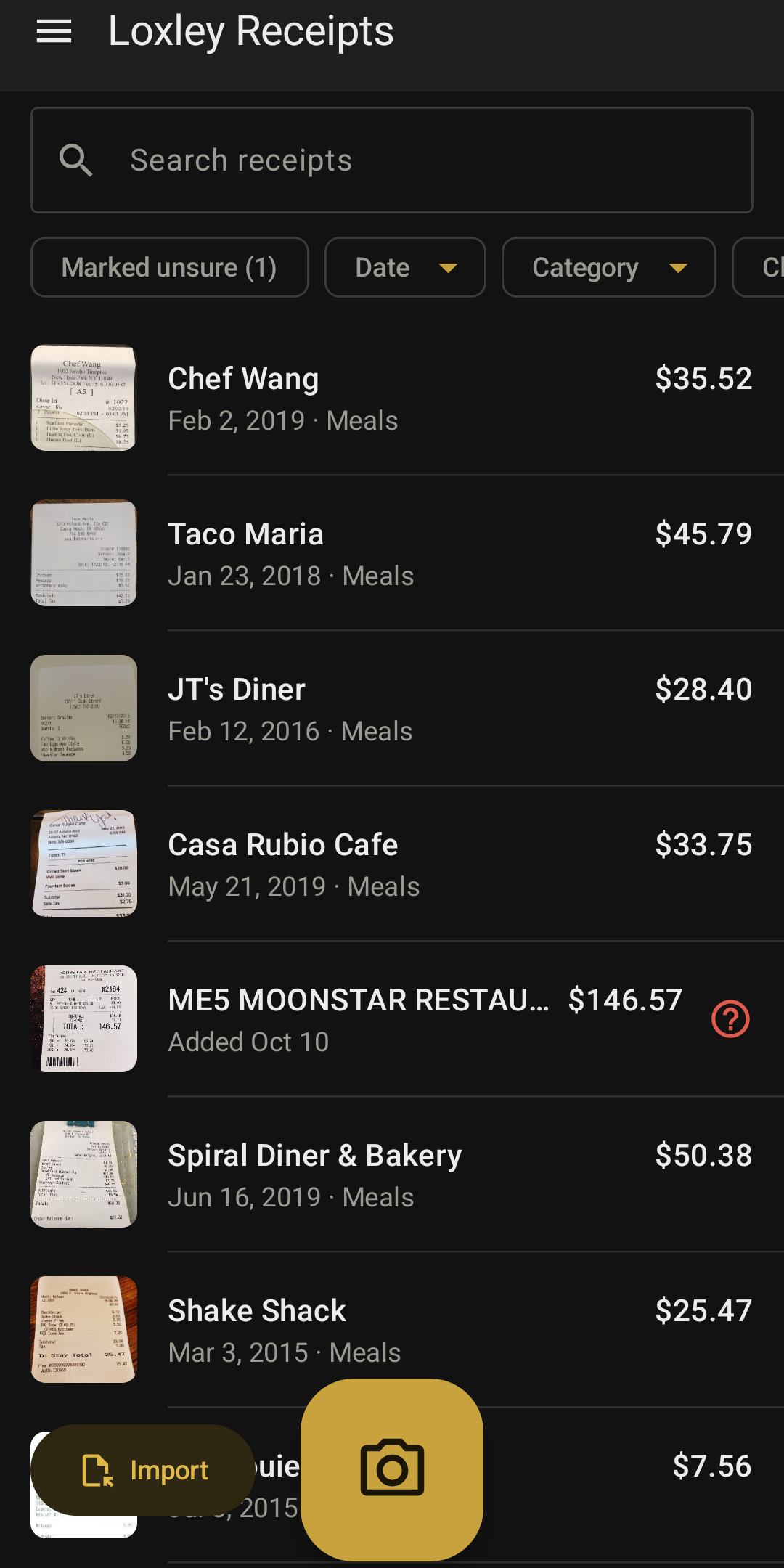
Every receipt in one list

Search by merchant, amount, date, category or client. Anything the app was not sure of keeps its mark until you check it.

02

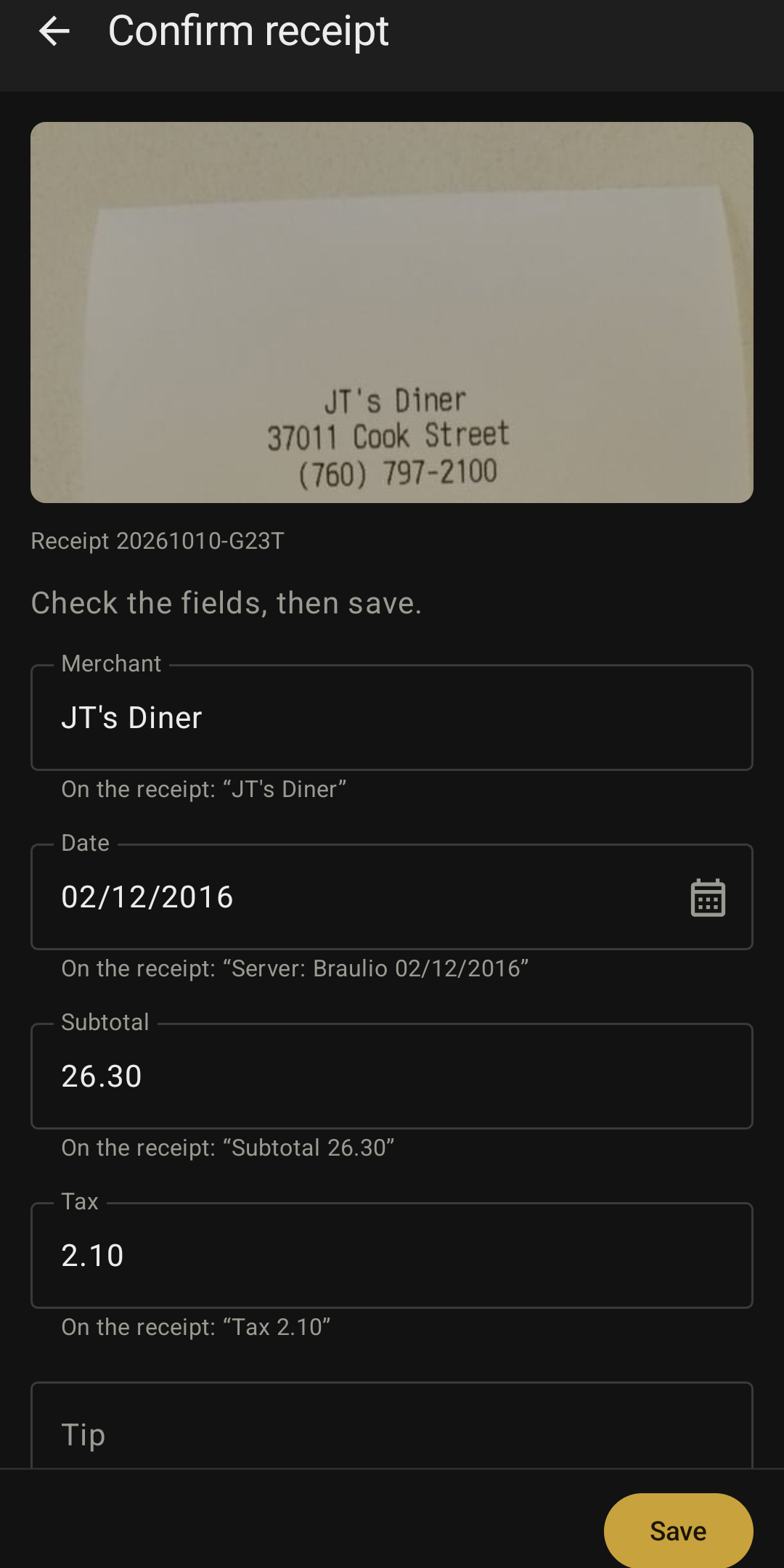
Read on the phone, checked by you

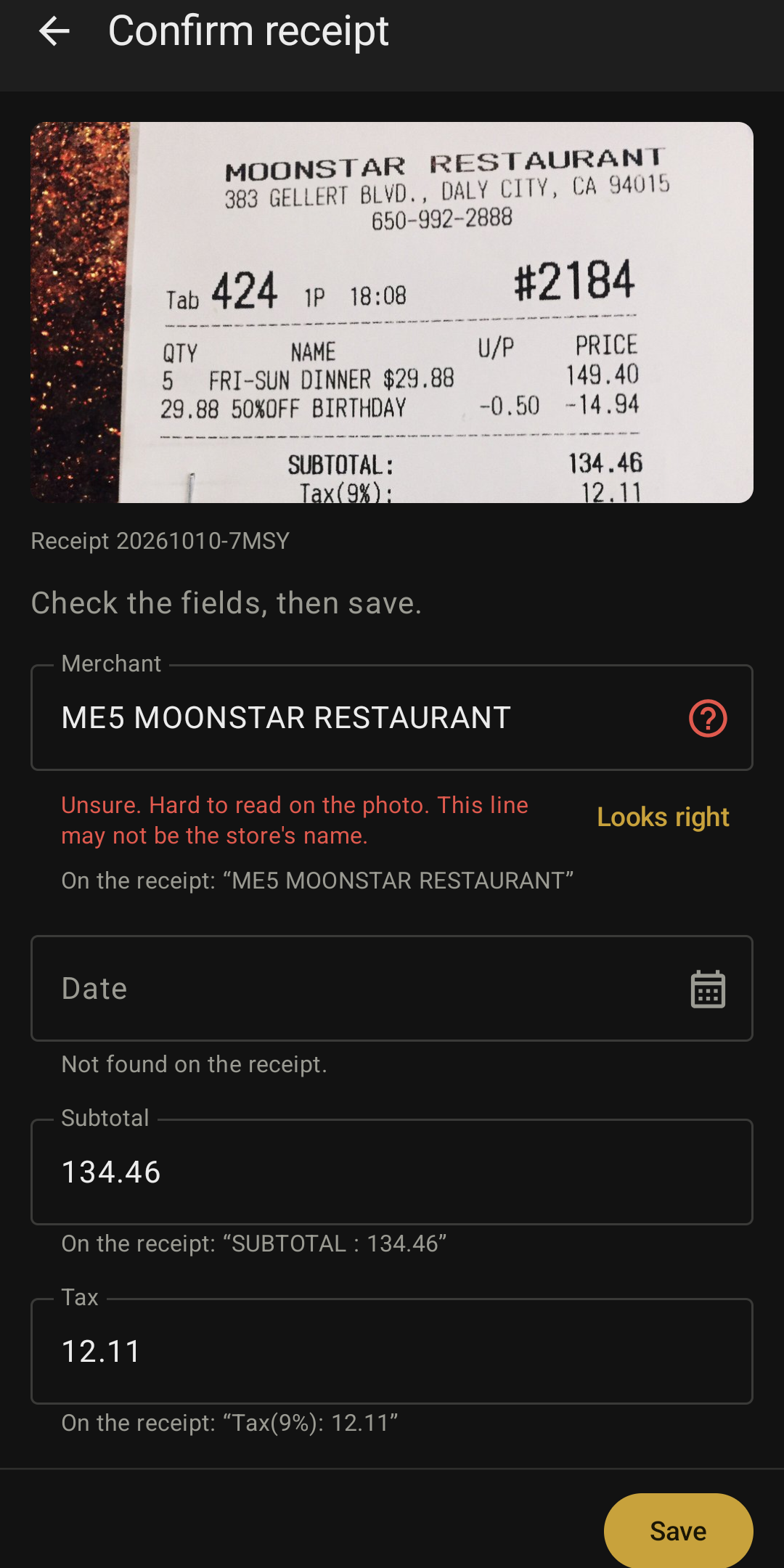
Merchant, date, subtotal, tax, tip, total and payment, each shown with the words it was read from, and a check that the numbers add up.

03

It tells you what it isn’t sure of

A line that may not be the store’s name, or a date it could not find, is marked for you to fix or confirm.

04

Snap it or import it

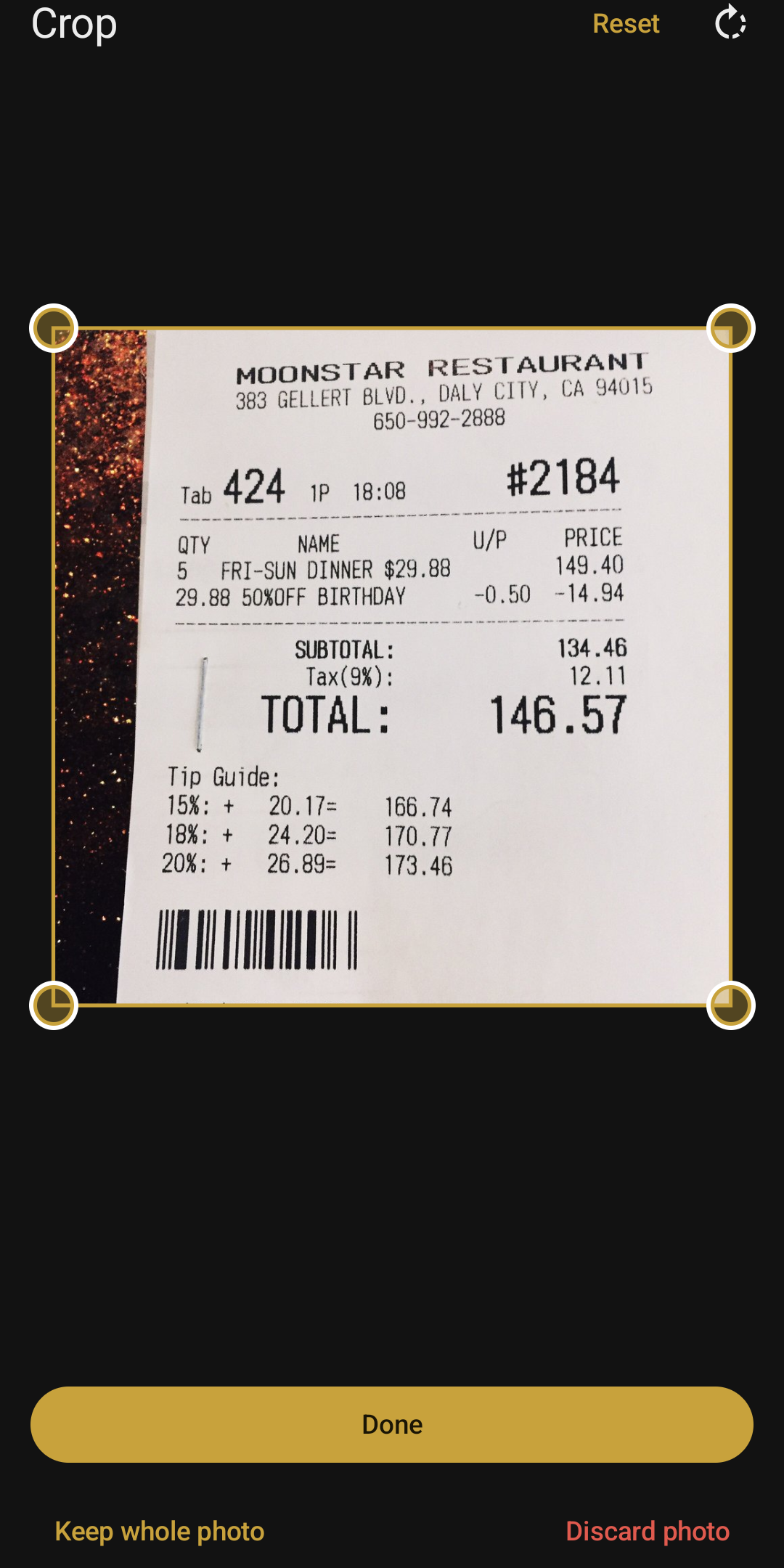
Photograph a receipt, or bring in a photo or PDF from your files or another app’s share button. Drag the corners to crop; the original is kept as it came in.

05

The details a business record needs

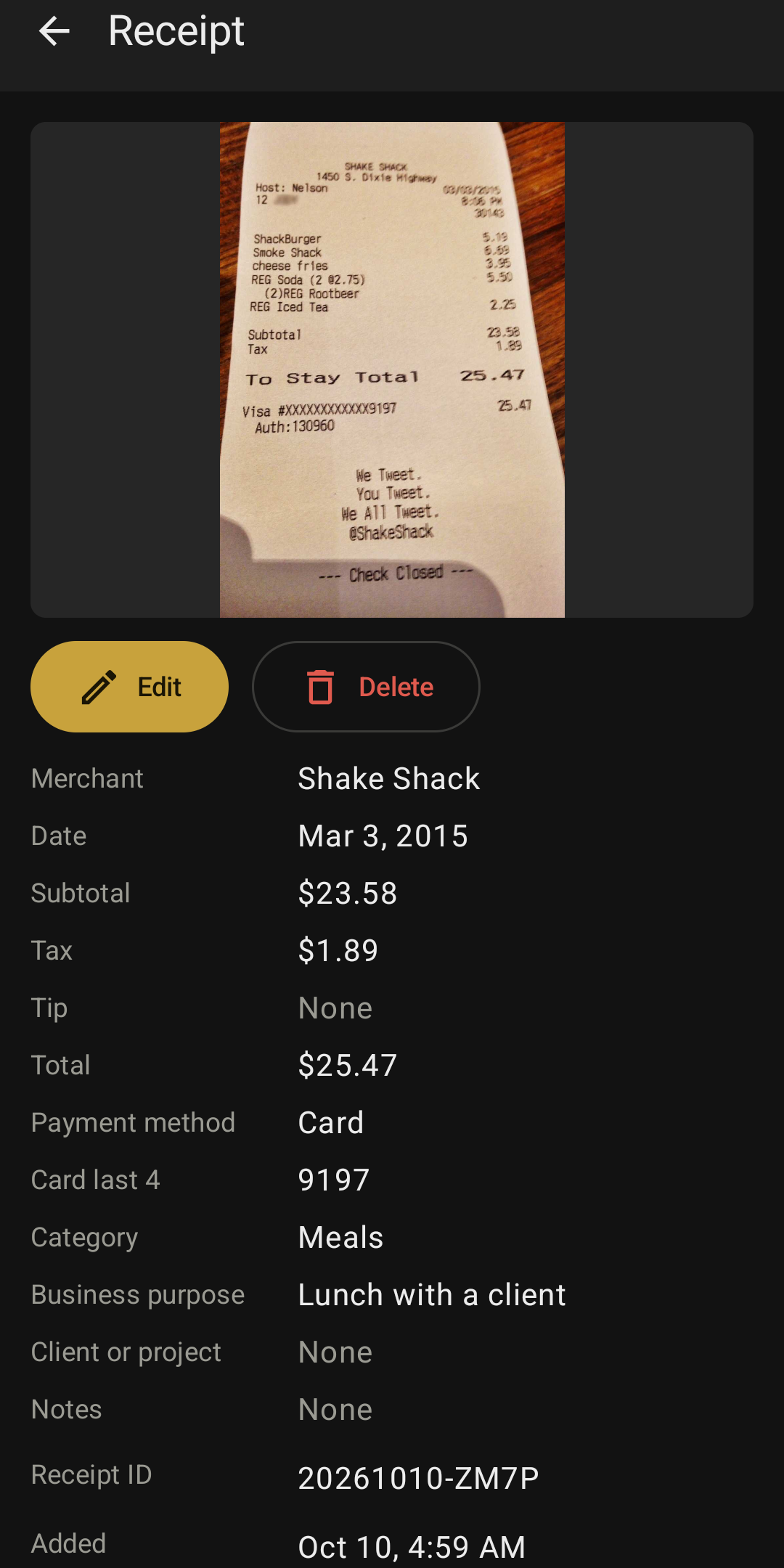
Category, business purpose, client or project, a receipt ID, and a log of every change.

06

Exports for your accountant

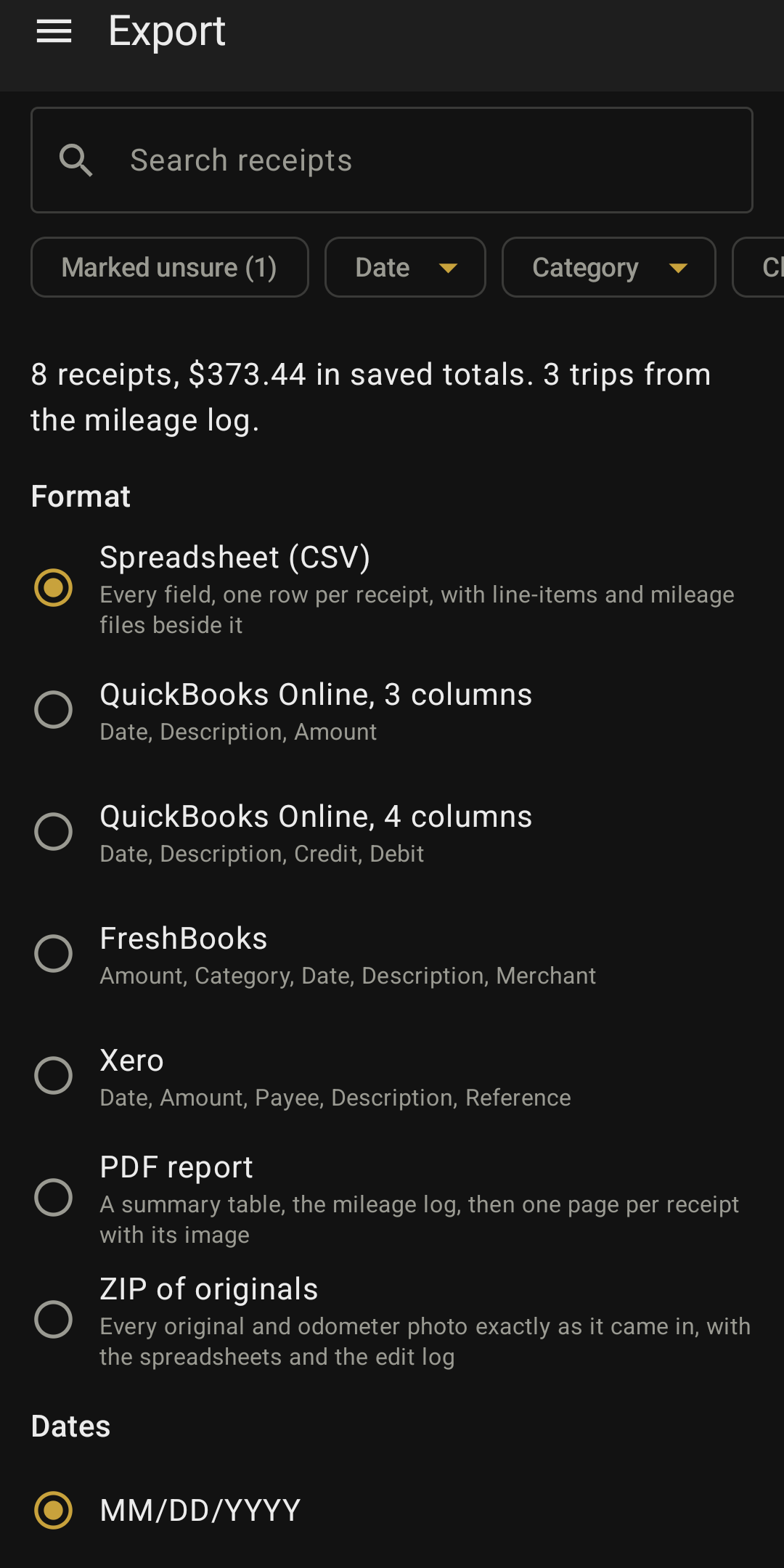
CSV with line items, the column layouts for QuickBooks Online, FreshBooks and Xero, a PDF report, or a ZIP of every original.

07

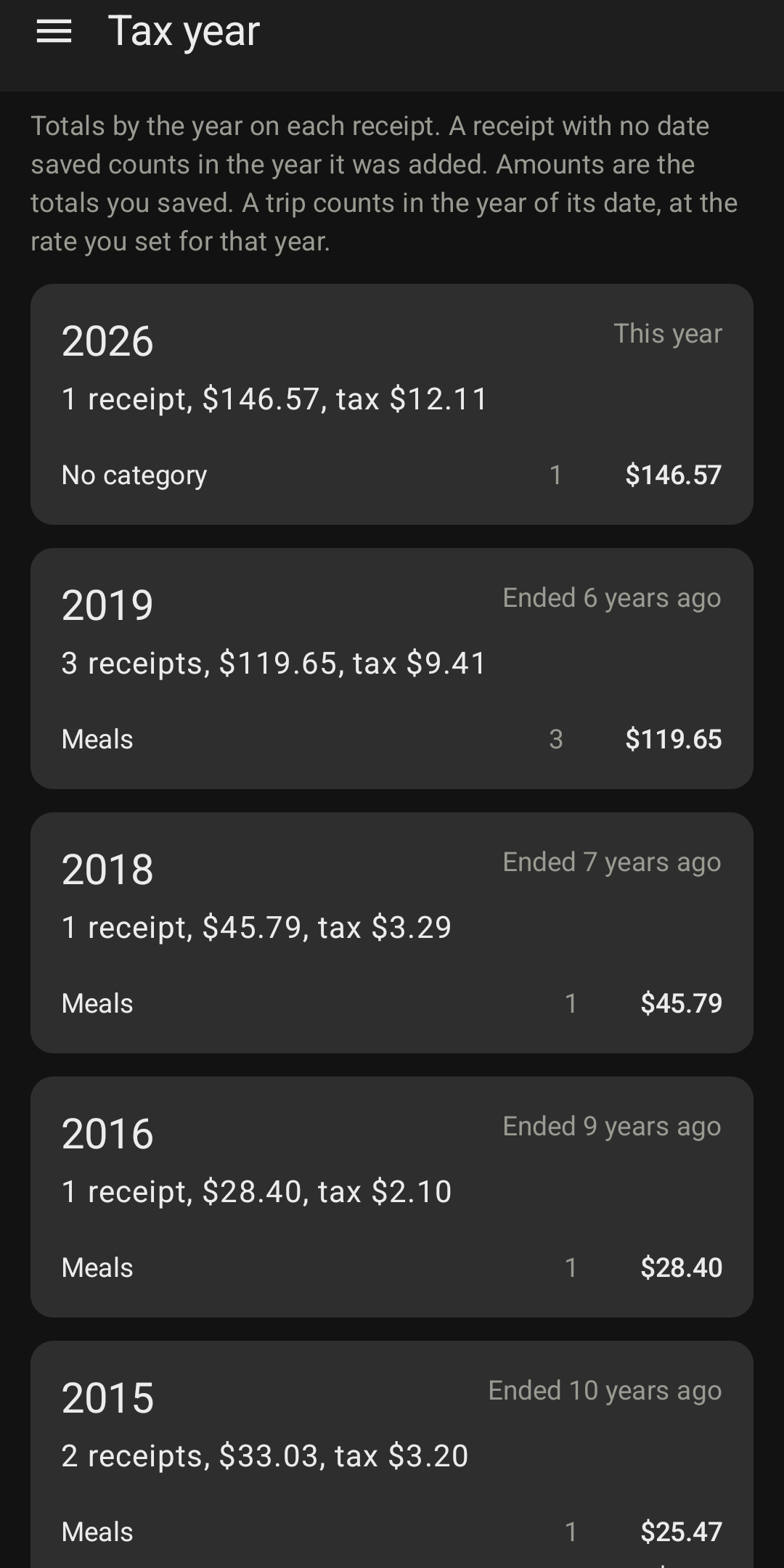
See the tax year

Totals by category for each tax year, with record-keeping guidance from IRS Publication 583. Not tax advice.

08

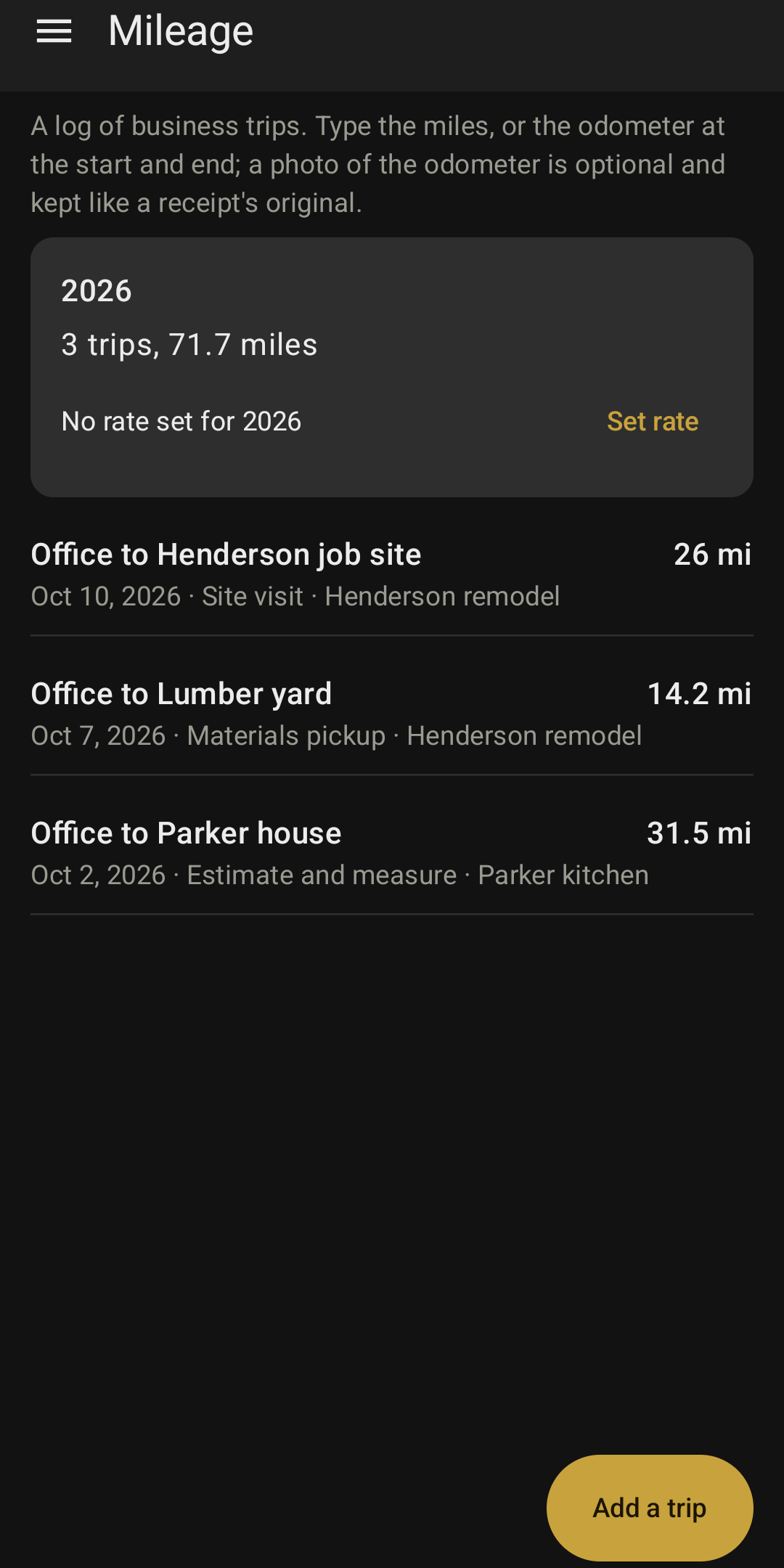
Mileage, if you want it

Log business trips by miles or odometer readings, with an optional odometer photo. Set your own rate per mile for each year.
Pay once, keep everythingUnlimited receipts. Nothing you made is ever locked behind a payment.
Switching phones?Your encrypted backup file restores everything on the new phone, free.
Originals kept exactlyEach photo or PDF is stored as it came in, with its SHA-256, so the record can be checked later.
Exports

The columns your accountant asked for.

FormatWhat is in it
Spreadsheet (CSV)Every field, one row per receipt, plus a line-items file and a mileage file
QuickBooks Online, 3 columnsDate, Description, Amount
QuickBooks Online, 4 columnsDate, Description, Credit, Debit
FreshBooksAmount, Category, Date, Description, Merchant
XeroDate, Amount, Payee, Description, Reference
PDF reportA summary table, the mileage log, then one page per receipt with its image
ZIP of originalsEvery original and odometer photo exactly as it came in, with the spreadsheets and the edit log
Backup

Your backup, your passphrase.

Where does the backup go? Anywhere you pick: a USB drive, your computer, Downloads, or your own cloud app’s folder. The app never uploads it.

What if I forget my passphrase? If you kept the recovery code (on by default), it opens the backup instead. If you turned the code off, a forgotten passphrase means the backup cannot be opened, by you or by us.

Can I move to a new phone? Yes. Install the app on the new phone, open the backup file, and choose Replace or Merge.

Which phones? Android 11 or newer, 64-bit (arm64).

On your phone

Everything, in your pocket.

Swipe through.

Loxley Receipts: Receipts list
Loxley Receipts: Confirm screen
Loxley Receipts: Unsure fields marked
Loxley Receipts: Crop
Loxley Receipts: Receipt detail
Loxley Receipts: Export
Loxley Receipts: Tax year totals
Loxley Receipts: Mileage log

Receipt images in the screenshots: ExpressExpense Sample Receipt Dataset, expressexpense.com, MIT License.

Private by design

Your receipts are yours.

No analytics, no advertising, no third-party trackers. The app has no internet permission, so it cannot send your receipts anywhere.

No internet permissionNothing in the app can connect to a network. Check the permission list in your phone’s Settings.
Encrypted on the phoneReceipts, photos and records are stored encrypted, with keys held by your phone.
App lockOptional, with your fingerprint, face or your phone’s screen lock.
Real deletionDelete a receipt and it is gone from the phone.
Not tax advice. The app keeps records and shows IRS guidance. What to keep, how long, and what you can deduct are decisions for you and your tax professional. It reads receipts on the phone and can misread them, so it shows every value for you to check. You must be 18 or older to use the app.

$19.99. Yours to keep.

No subscription, no terms that change after you install it. Questions? Contact support.

Receipts$19.99 once, yours to keep