 Loxley Labs
Sound Level Meter
Live dBA meter, 60-second graph, saved readings. No ads, no tracking.

9a3ed3d9776d48bc68a51421d1acc211f5b546a45a50b9218d08199023839a11Every screen.
Swipe through.
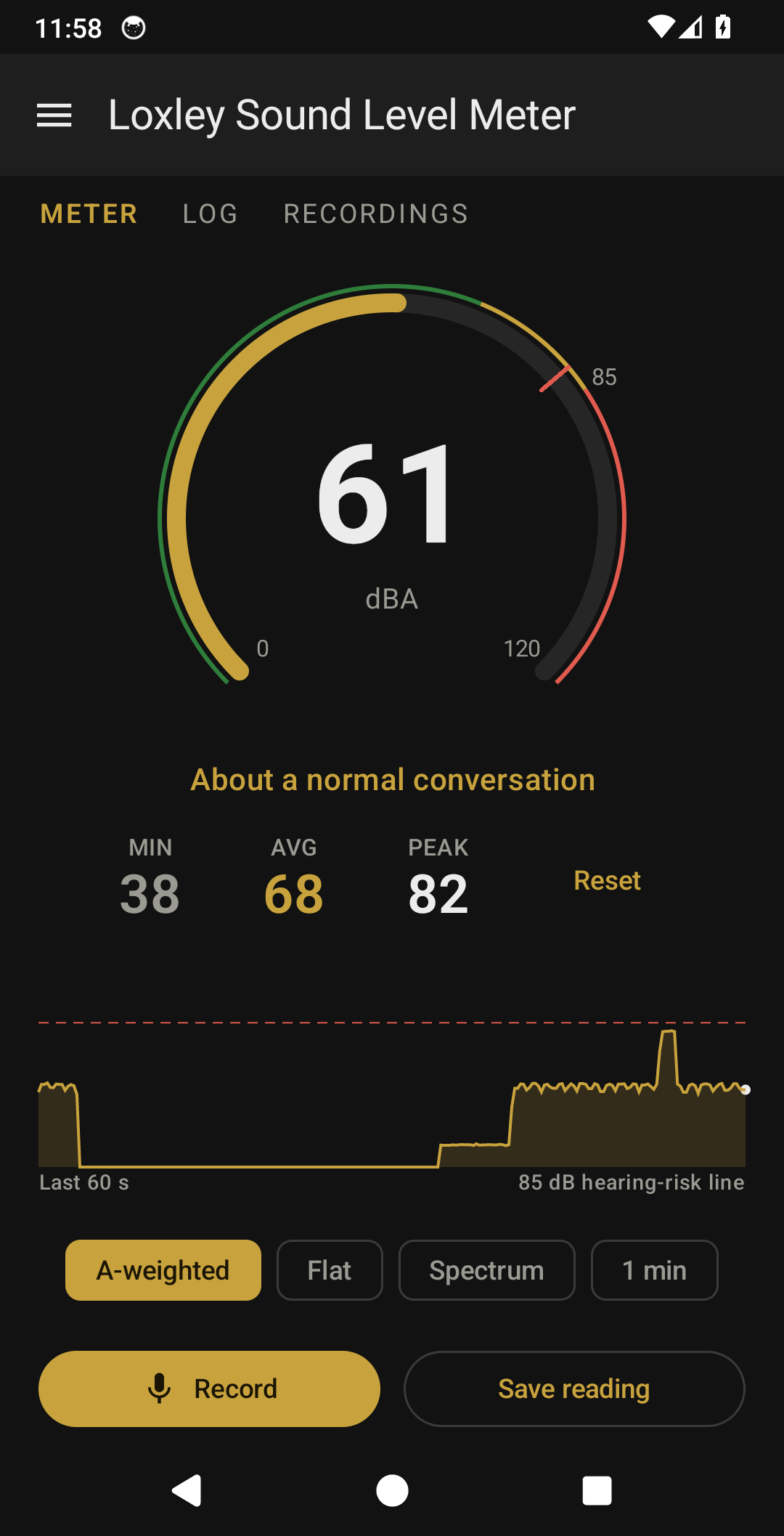
See how loud it is around you. A big dial shows the level, live, in A-weighted decibels, the way real sound level meters read, with a few words under the number that say what that level is like: a whisper, a quiet room, a normal conversation, heavy traffic. No ads, no accounts, and nothing watching what you do.
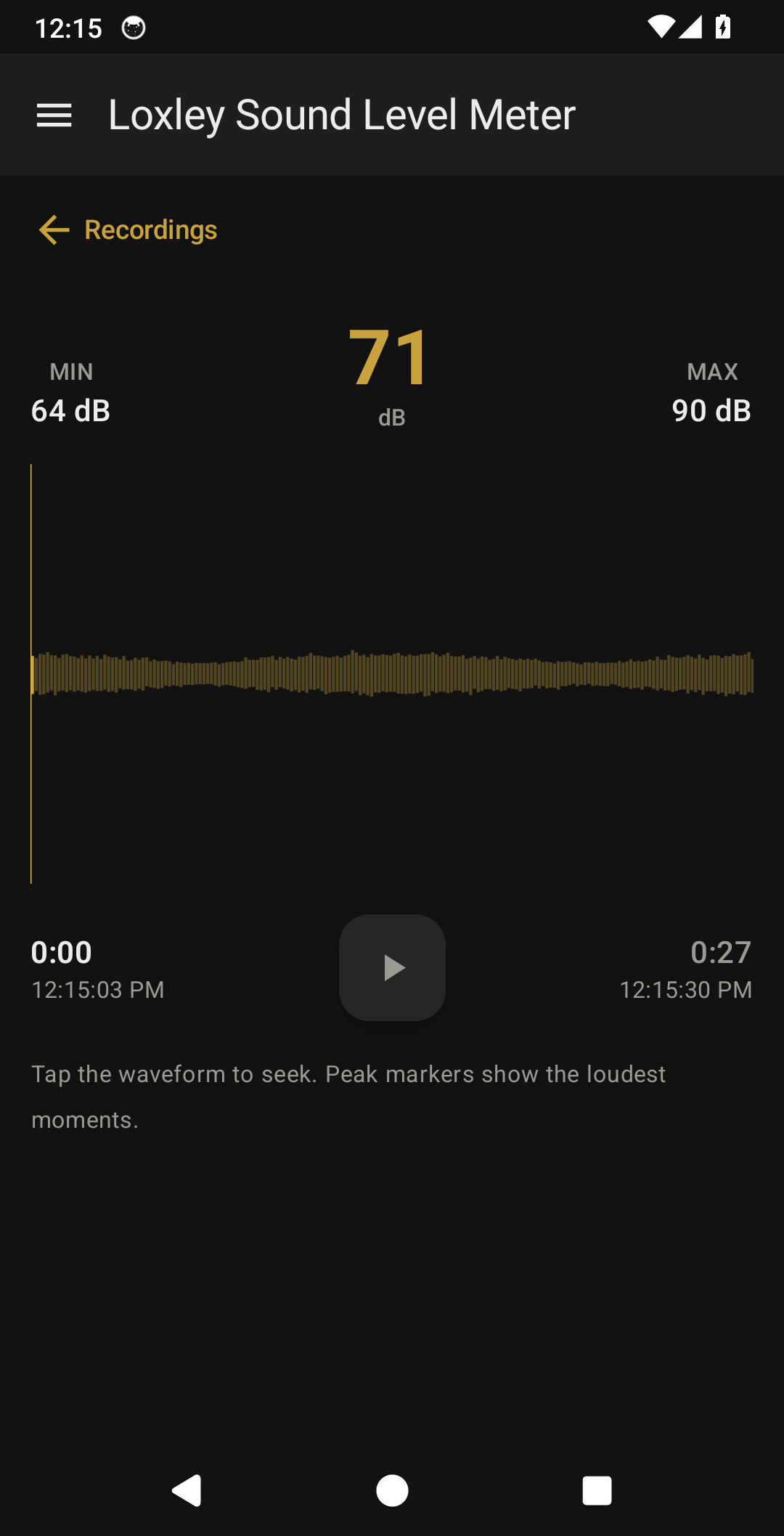
Tap Record to capture a clip while you measure. Recordings are saved on your device, where you can play them back, see the waveform, and find the loudest moments. One limit up front: phone microphones aren't calibrated, so the meter gives you a relative reading, not a certified SPL measurement. If you have a real meter, an offset in Settings lines the two up.
NEW IN 1.2
- A-weighted readings (dBA), with a Flat option for the unweighted number
- A 60-second graph of the level, with the 85 dB hearing-risk line across it
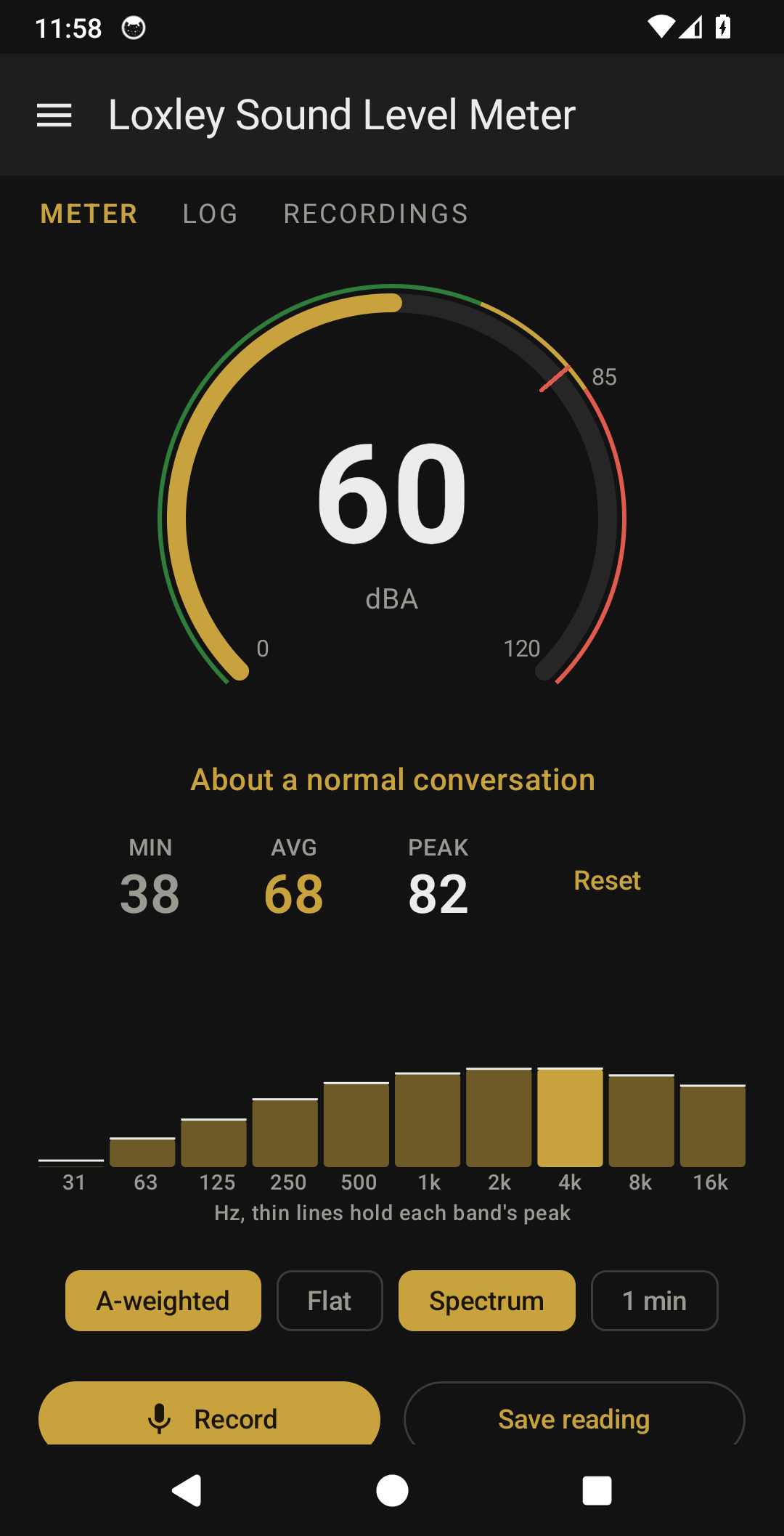
- A spectrum view: ten octave bands, 31 Hz to 16 kHz, with peak-hold lines
- Plain-words captions under the number
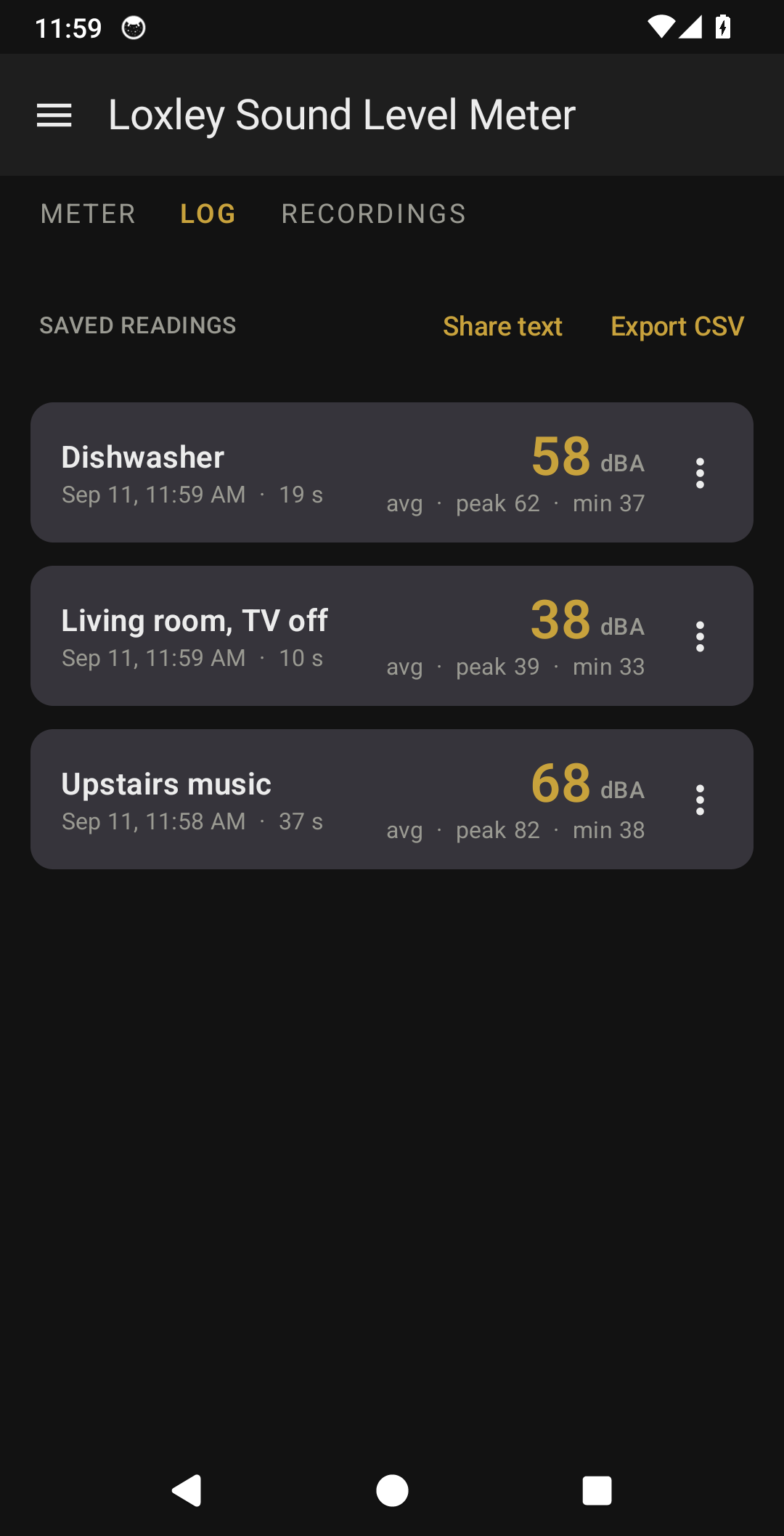
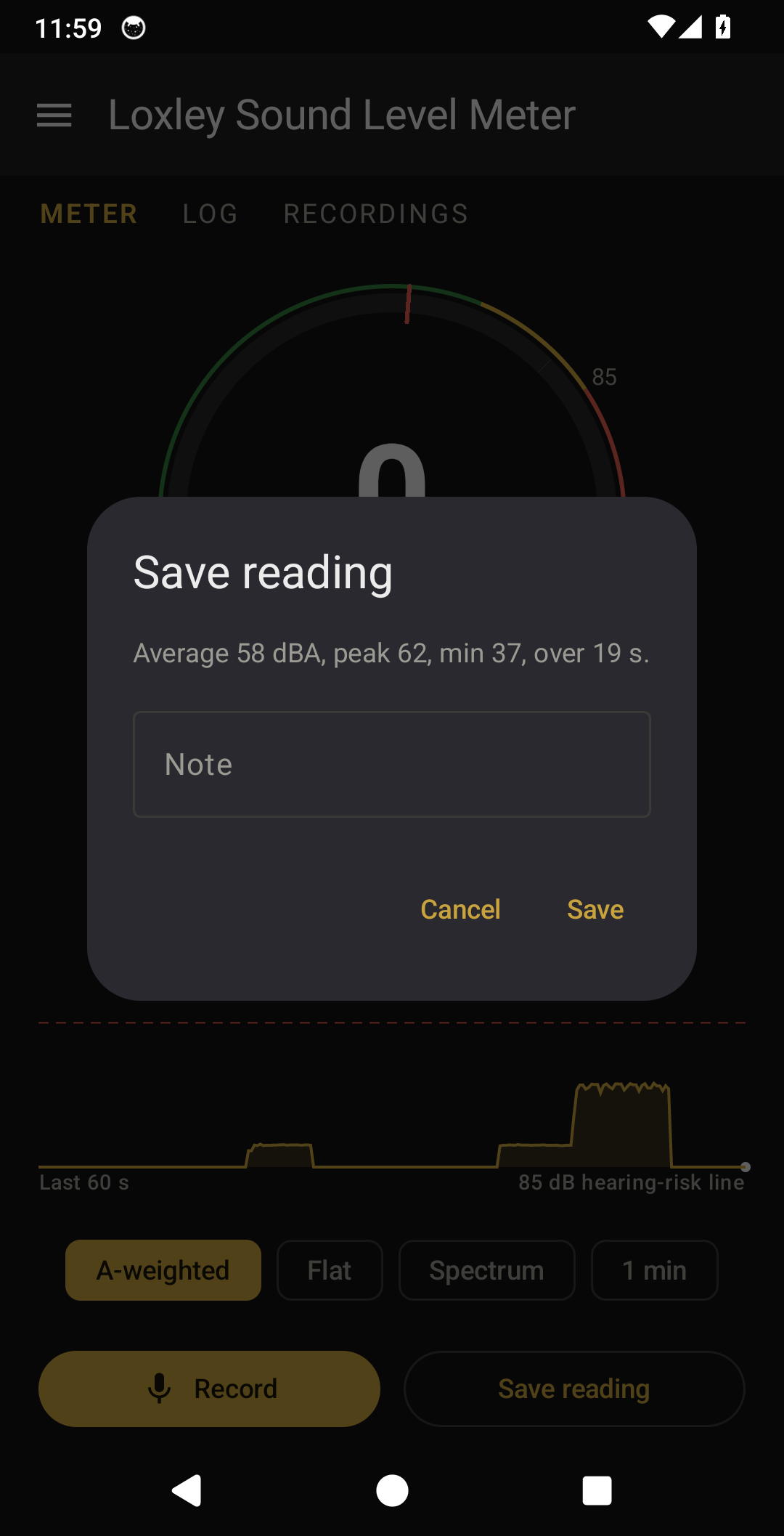
- A Log tab: save a reading with a note, or take a timed 1-minute measurement; share as text or CSV
- Colour zones and a peak tick on the dial
- A calibration offset and keep-screen-on in Settings
- Meter, Log and Recordings as tabs, and a back button that returns to the previous screen
WHAT YOU GET
- A live dial reading the sound level in approximate dBA or dB
- Min, average and peak while you measure, with a one-tap reset
- The last 60 seconds as a graph, or the spectrum by octave band
- Saved readings with notes and timed measurements, shareable as text or CSV
- Record button that captures audio only when you tap it
- Recordings list showing each clip's length, size, and date; rename, share, or delete any of them
- Playback screen with a scrollable waveform you can tap to seek, and peak markers at the loudest moments
- Recordings saved as standard WAV files on your device
- Works offline
THE LOXLEY PROMISE
- No ads, ever
- No tracking, no analytics, no accounts
- No internet permission, so it cannot phone home
- The only permission is the microphone, used solely to measure and record
- Recordings and readings stay on your device; nothing is uploaded
- Yours to keep
Loxley Labs makes simple tools the old way: each one does one job well, then stops. This one's free, and it stays free. No subscriptions, no terms that change after you install it. If it earns a spot on your phone, you can buy me a coffee; a coffee is a thank-you, never a paywall.
Questions? Contact support
Free, and it stays free.
If it earns a spot on your phone, you can buy me a coffee. A thank-you, never a paywall.